# Deleting Milestones

<details>

<summary>Step 1: Choose a Milestone from the Table View</summary>

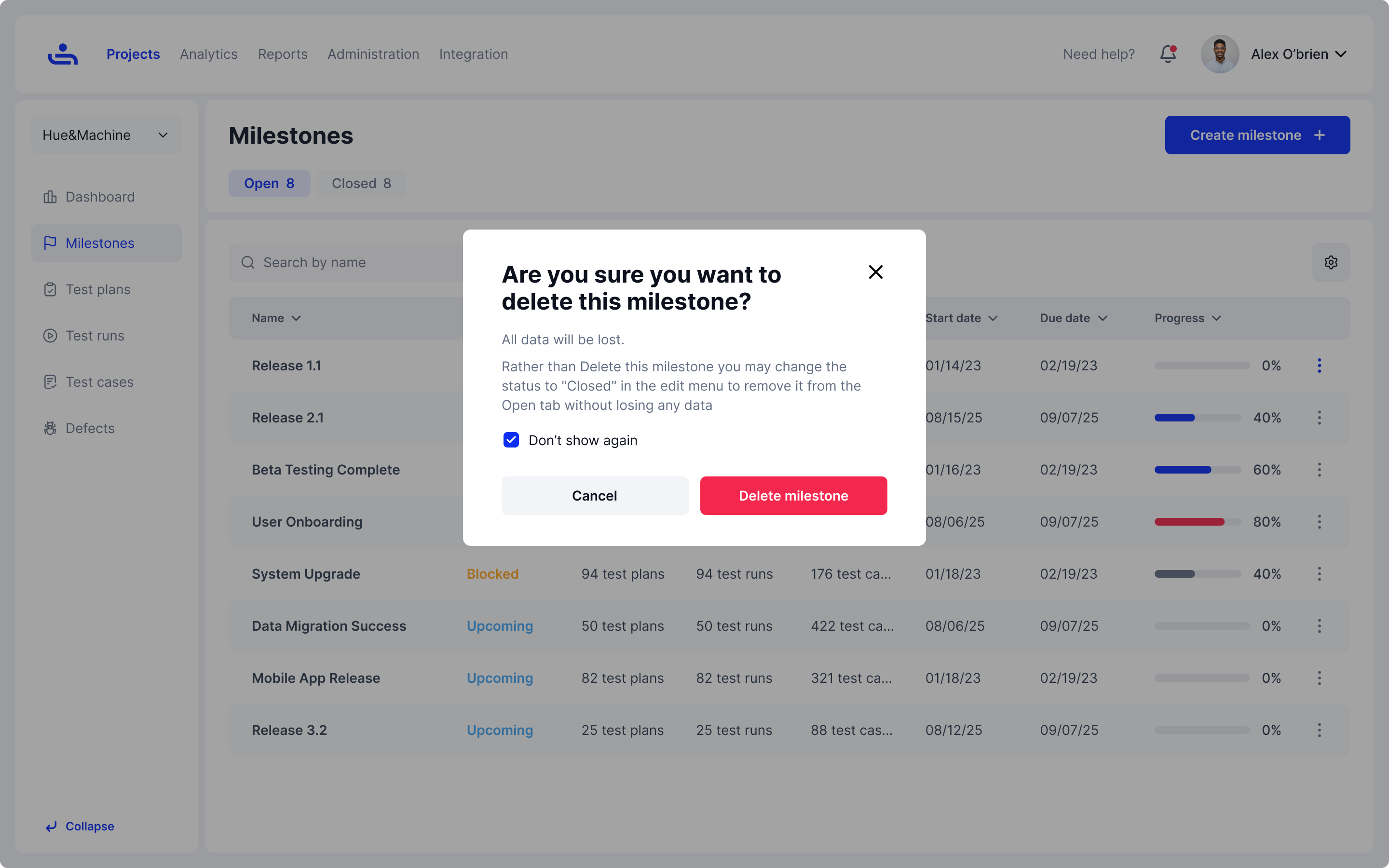
In the Milestones tab of the Project you are working on. Select the Milestone you wish to delete and click on the kebob icon.\
\
Next, click "Delete"

</details>

<figure><img src="https://1326643208-files.gitbook.io/~/files/v0/b/gitbook-x-prod.appspot.com/o/spaces%2FnpMhTPhBTwVaw7bZVBjY%2Fuploads%2Fgit-blob-04f337fb06e3fc7c1c3a45c80c880351122ed9e7%2F303_Milestones%2005_Milestones%20-%20More%20-%20Delete.png?alt=media" alt=""><figcaption><p>Click on the kebob icon for the milestone you wish to remove and click delete.</p></figcaption></figure>

<details>

<summary>Step 2: Confirm the deletion of the Milestone</summary>

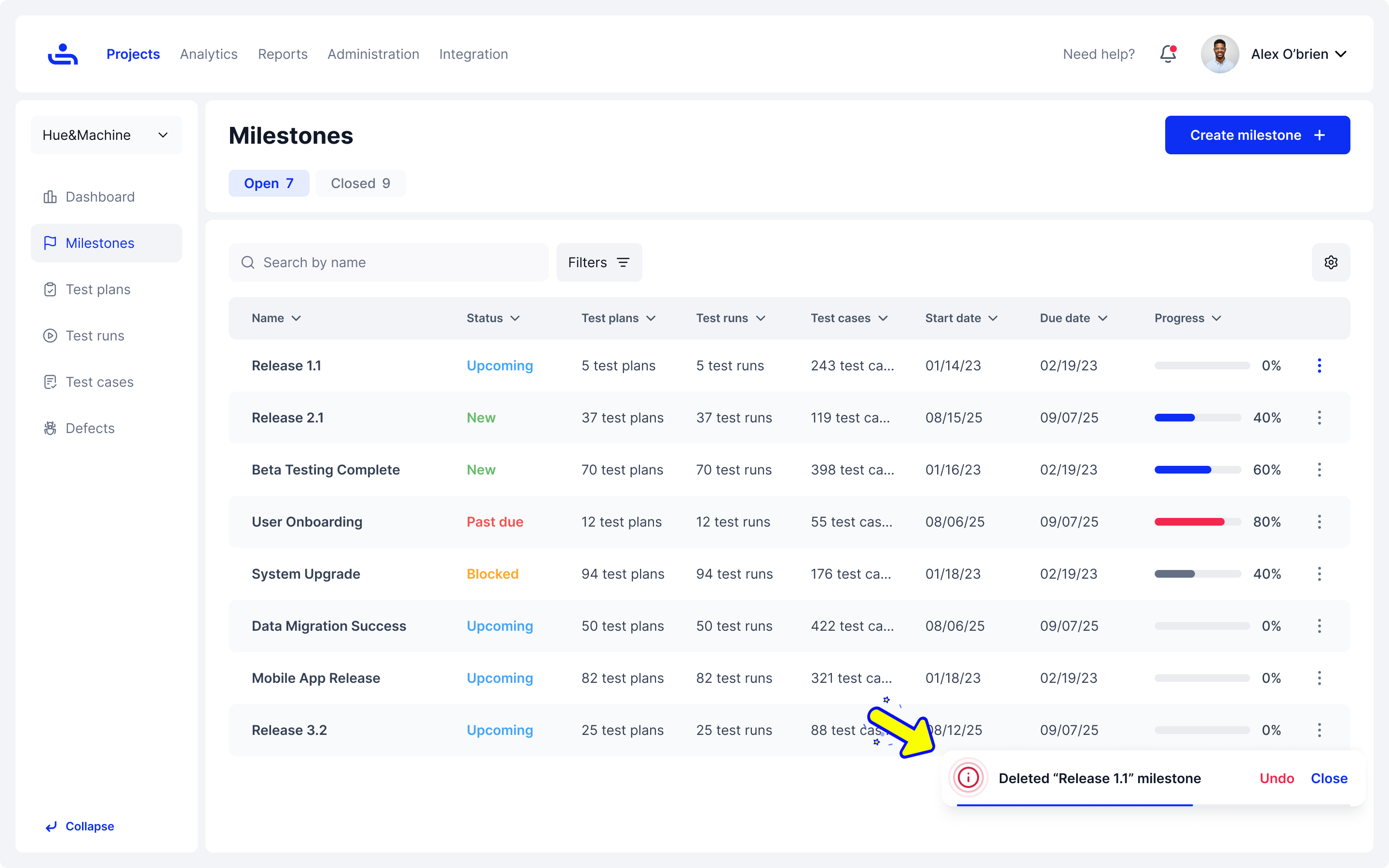
A notification will appear asking you to confirm your choices. Click "Delete Milestone" to continue, or click "Cancel" to go back.\
\
Rather than deleting a Milestone and losing all data associated with it, you have the choice of closing it which will remove it from your open tab and preserve its data.\
\
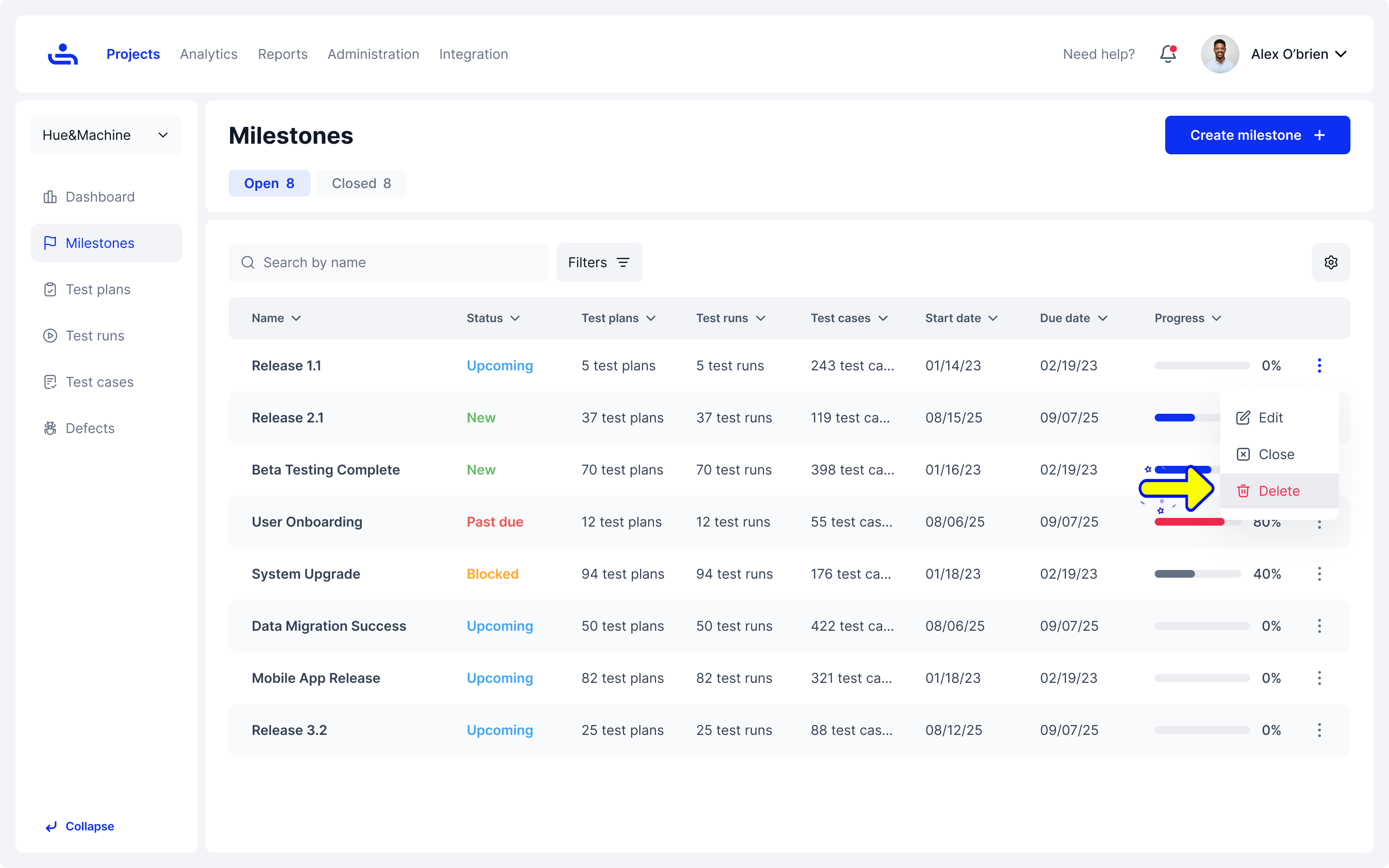
Once completed, a confirmation toaster will appear on the bottom right allowing you to undo the action if need be.

</details>

<div><figure><img src="https://1326643208-files.gitbook.io/~/files/v0/b/gitbook-x-prod.appspot.com/o/spaces%2FnpMhTPhBTwVaw7bZVBjY%2Fuploads%2Fgit-blob-394cc988f66105ed2be28eede579dbd139e29778%2F306_Milestones%2008_Milestones%20-%20More%20-%20Delete.png?alt=media" alt=""><figcaption><p>A notification will appear when you try to delete a milestone.</p></figcaption></figure> <figure><img src="https://1326643208-files.gitbook.io/~/files/v0/b/gitbook-x-prod.appspot.com/o/spaces%2FnpMhTPhBTwVaw7bZVBjY%2Fuploads%2Fgit-blob-c814f4e39991288251f52c67125c9d1ce5840e9c%2F304_Milestones%2006_Milestones%20-%20More%20-%20Delete.png?alt=media" alt=""><figcaption><p>A confirmation toaster will appear incase you need to undo your changes.</p></figcaption></figure></div>

{% hint style="danger" %}
Deleting a milestone deletes all of its data, you can close it instead to preserve it. Note that a deleted milestone can only be recovered by an administrator via the audit log.
{% endhint %}

Once you have many Milestones made, you can filter them to quickly find the one you are looking for. Click "Next" to see how to filter Milestones.