> For the complete documentation index, see [llms.txt](https://docs.testfiesta.com/llms.txt). Markdown versions of documentation pages are available by appending `.md` to page URLs; this page is available as [Markdown](https://docs.testfiesta.com/account-settings/personal-workspace/creating-an-organization.md).
# Creating an Organization
Create your own Organization to better manage projects and workflow with your team-mates.
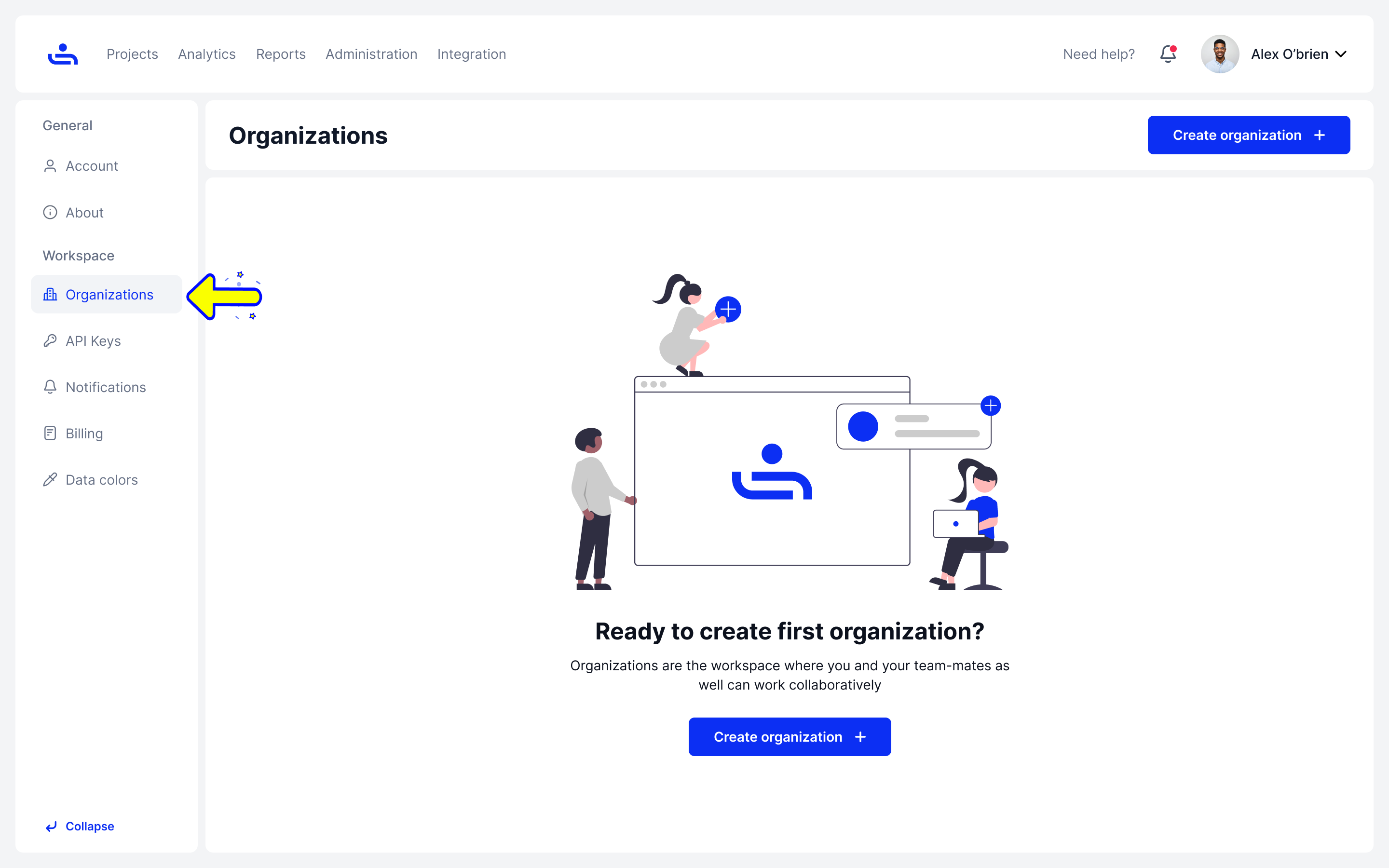
Step 1: Go to the Organization tab in Settings
The Organizations tab can be found on the left side of the settings screen.
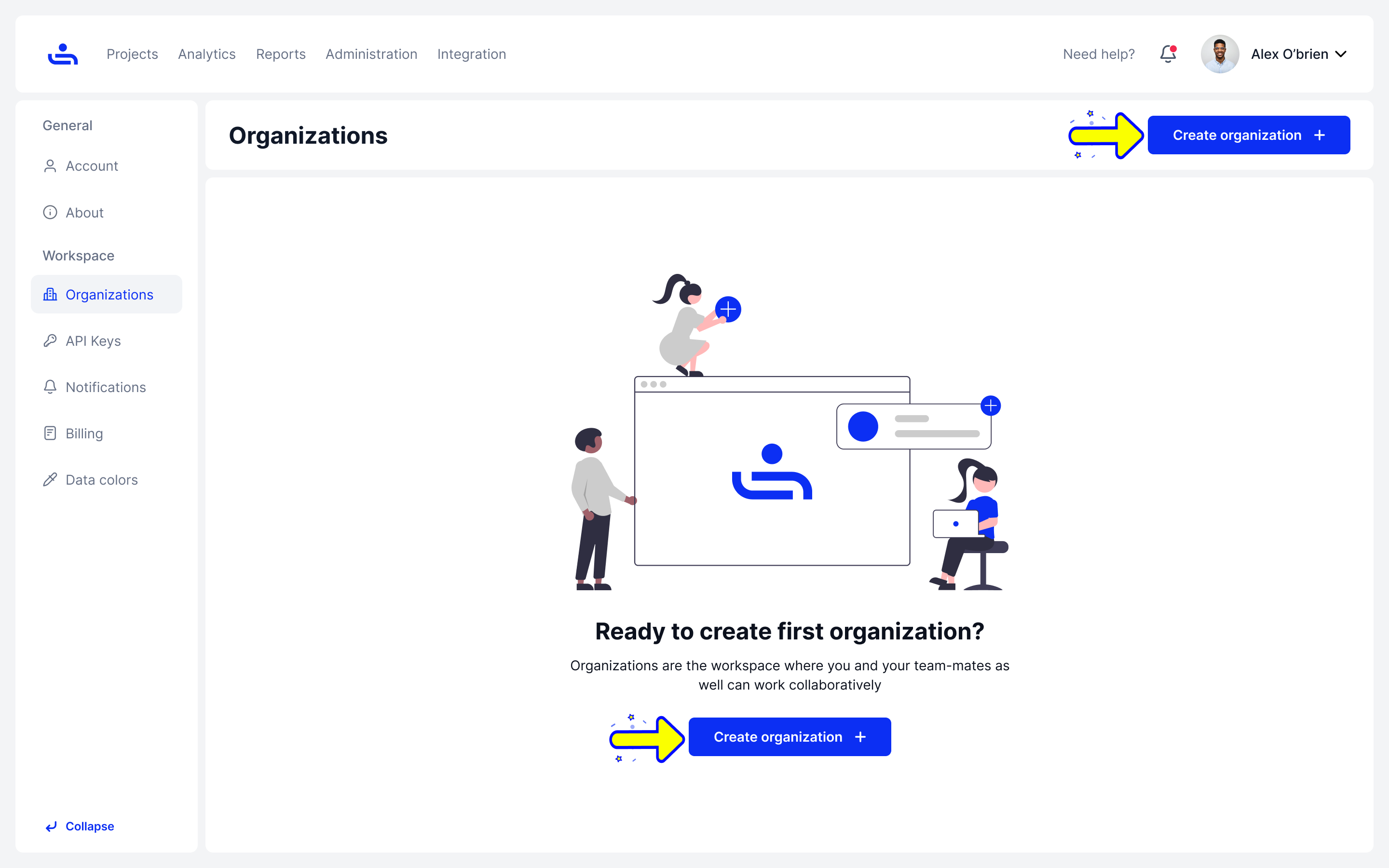
Step 2: Click "Create Organization"
This will take you to another page where you can fill in information for your new Organization.
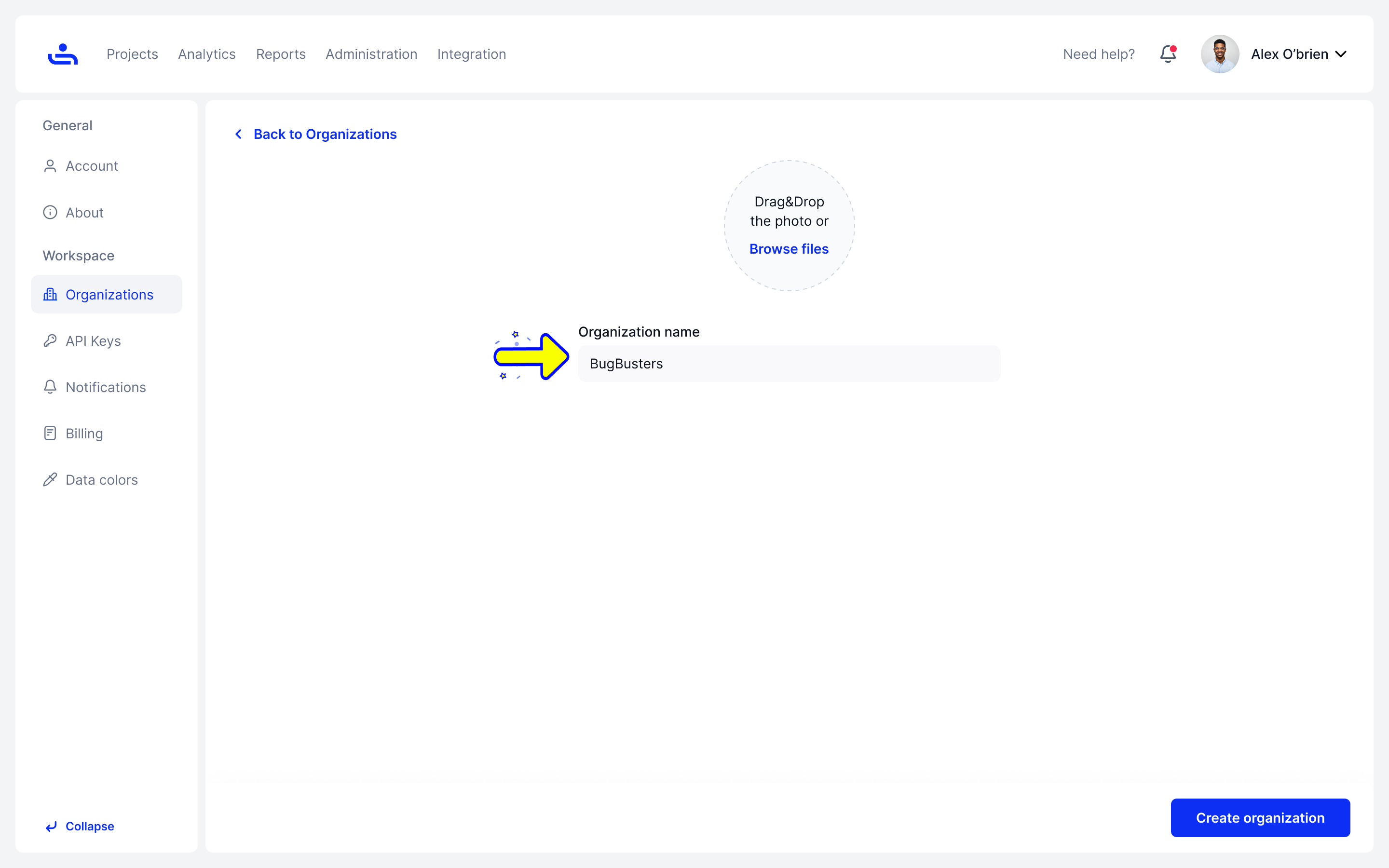
Step 2: Pick the name for your Organization
Here you will pick your Organization name and optionally upload a photo to represent it.
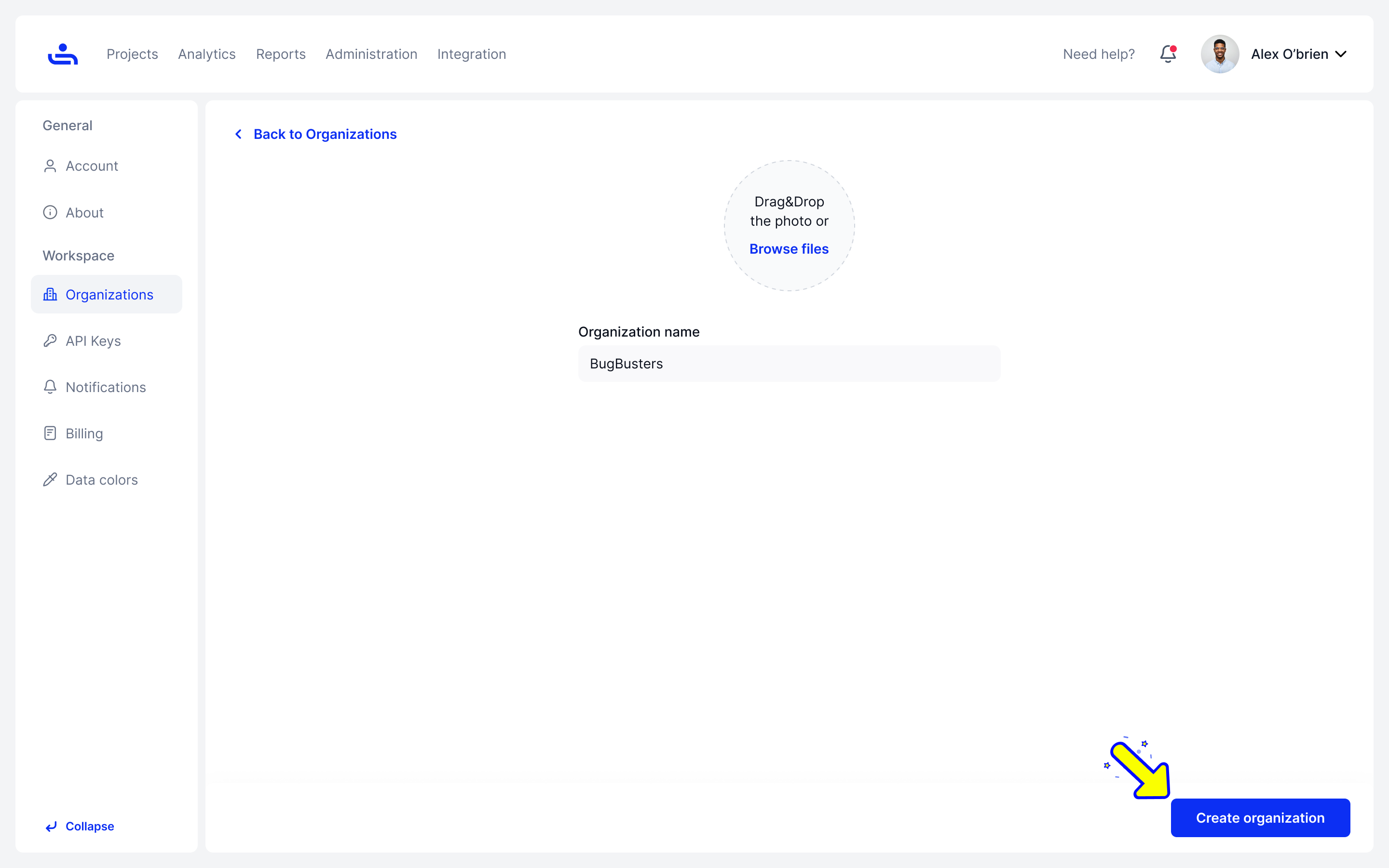
Step 3: Click "Create Organization"
Click the "Create Organization" button at the bottom right of the page.
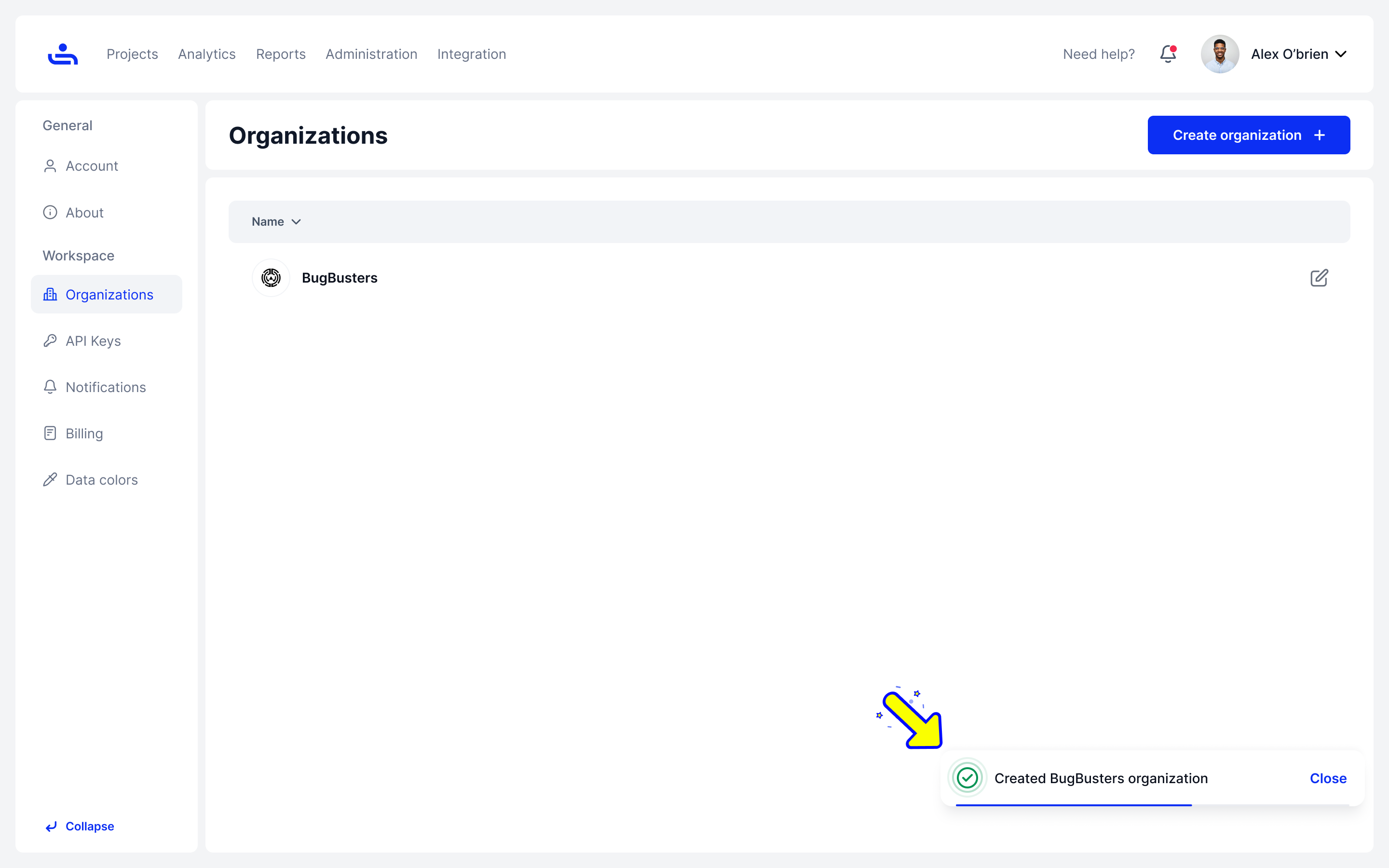
Your organization has been created! Now you can invite your team-mates and begin collaborating.
If you need to change your Organization information, you can Edit in a couple easy steps. Click "Next" to see how.