# Applying Tags

You can apply a tag to invited Users and newly created Test Plans, Test Runs, and Test cases.

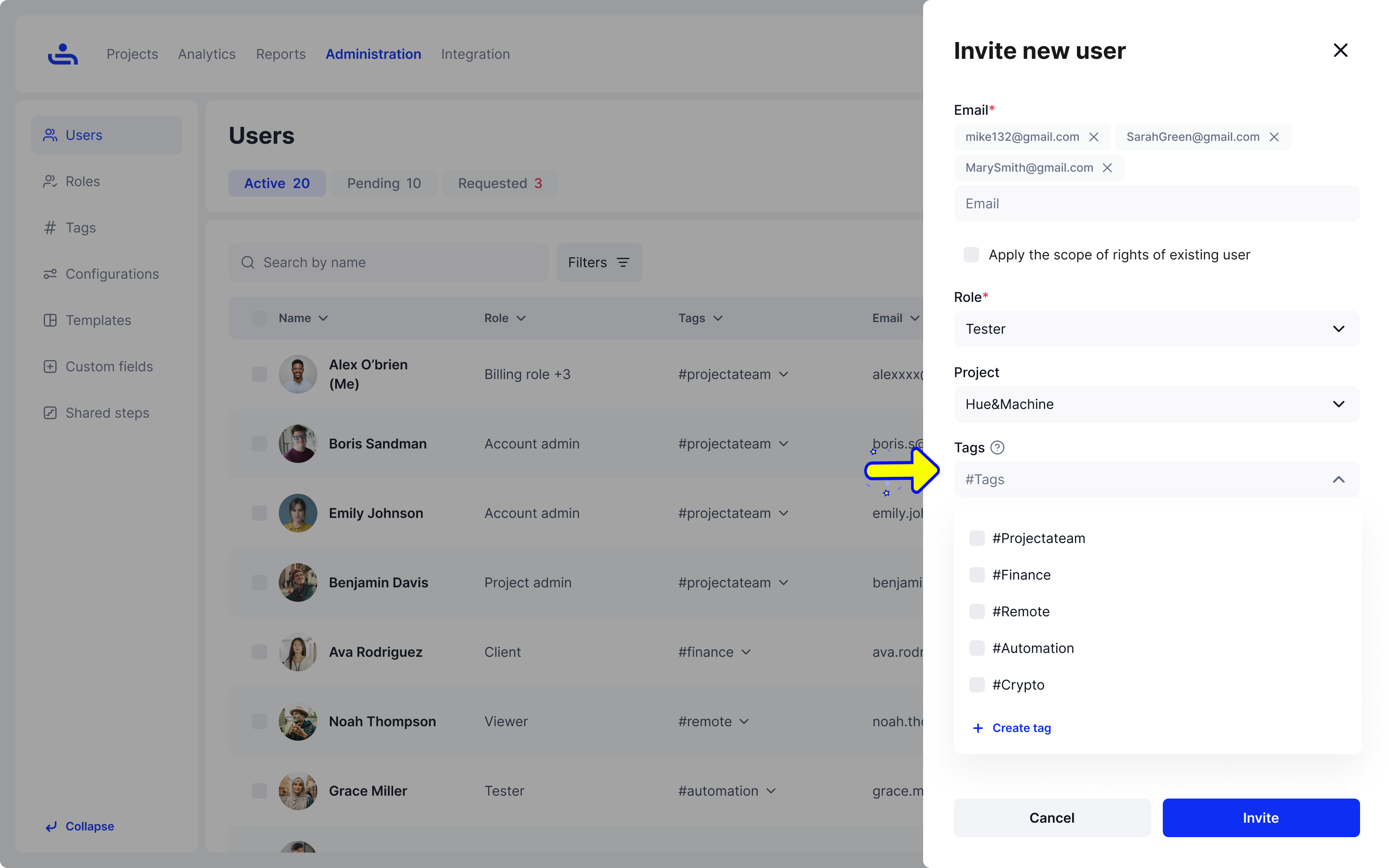
* When inviting a User.

<figure><img src="https://1326643208-files.gitbook.io/~/files/v0/b/gitbook-x-prod.appspot.com/o/spaces%2FnpMhTPhBTwVaw7bZVBjY%2Fuploads%2Fgit-blob-8cb4a76bc6b99fb68b5beb0b16a0725068ca86c4%2F39_Users%20list%20-%20Invite%20new%20user%20-%20Filled.png?alt=media" alt=""><figcaption></figcaption></figure>

* When creating a Test Plan.
*

```
<figure><img src="../../.gitbook/assets/972_Test Plans 26_Create test plan_Info.png" alt=""><figcaption></figcaption></figure>
```

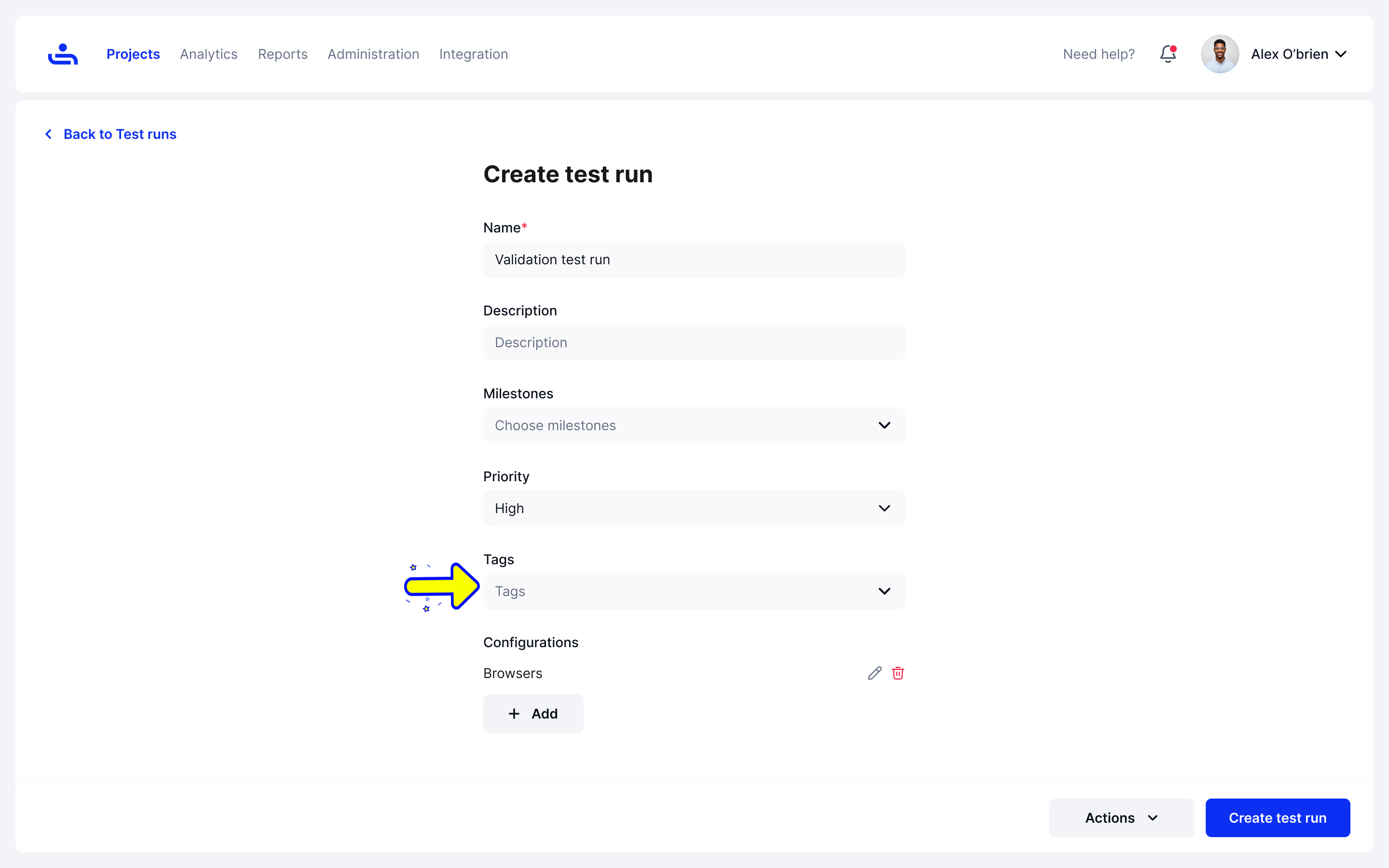
* When creating a **Test Run.**

<figure><img src="https://1326643208-files.gitbook.io/~/files/v0/b/gitbook-x-prod.appspot.com/o/spaces%2FnpMhTPhBTwVaw7bZVBjY%2Fuploads%2Fgit-blob-ed15d8087552b104a021da9f669e68a3e3783be3%2FTest%20runs%20-%20Create%20test%20run%204.png?alt=media" alt=""><figcaption></figcaption></figure>

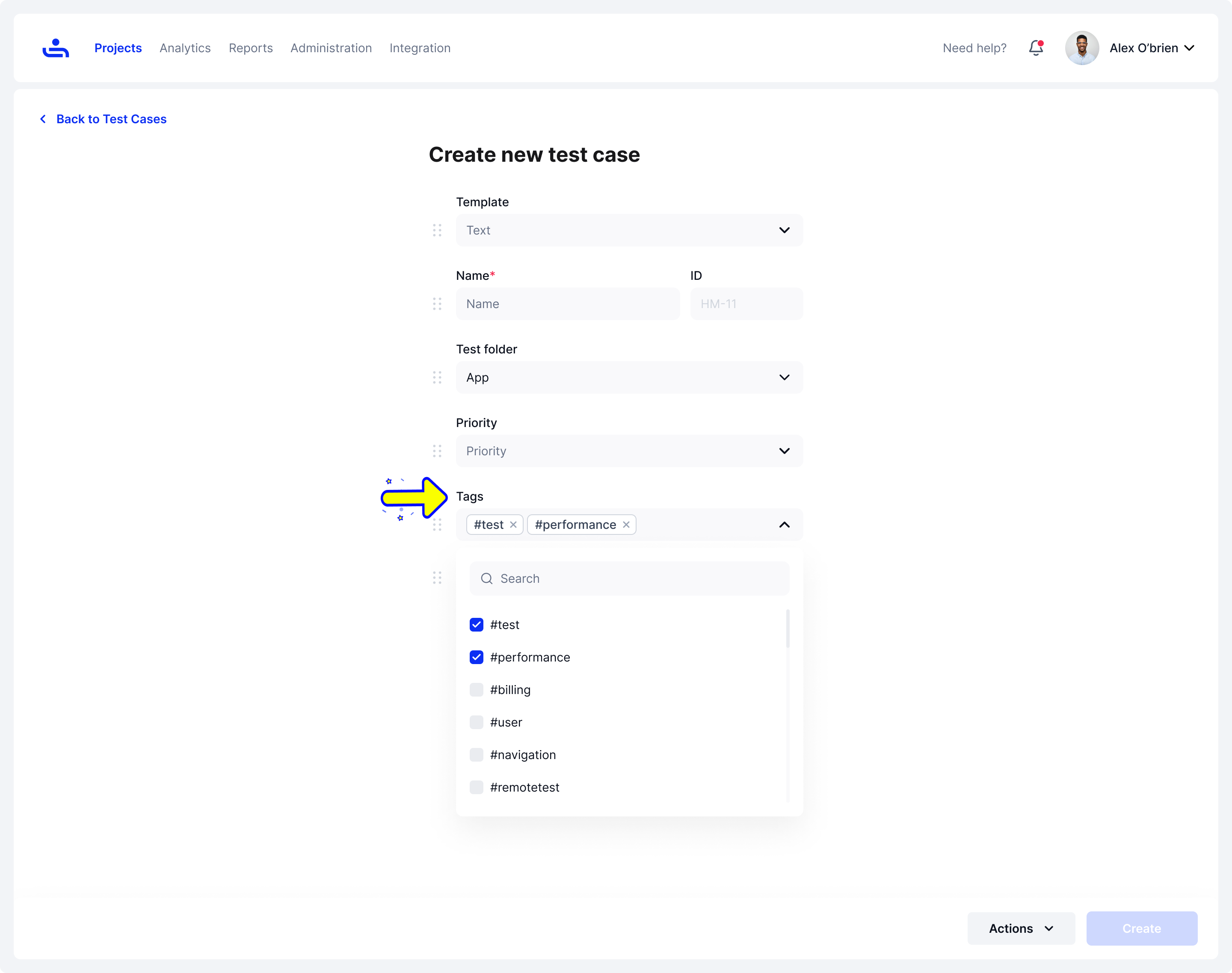
* When creating a **Test Case**.

<figure><img src="https://1326643208-files.gitbook.io/~/files/v0/b/gitbook-x-prod.appspot.com/o/spaces%2FnpMhTPhBTwVaw7bZVBjY%2Fuploads%2Fgit-blob-de2300273fac498e06a84ed58fee08104cd32894%2F793_Test%20Cases%2063_Create%20new%20test%20case.png?alt=media" alt=""><figcaption></figcaption></figure>

You have now apply Tags to Users, Test Runs, and Test Cases!

Tags can be either Active or Archived. To learn the difference between the two Tag statuses, click "Next"