> For the complete documentation index, see [llms.txt](https://docs.testfiesta.com/llms.txt). Markdown versions of documentation pages are available by appending `.md` to page URLs; this page is available as [Markdown](https://docs.testfiesta.com/administration-tab/configurations/edit-configuration.md).

# Edit Configuration

Want to make changes to a configuration? No problem!

<details>

<summary>Step 1: Go to Administration -> Configurations</summary>

Here’s the list of all your configurations. You can edit them from here.

</details>

<details>

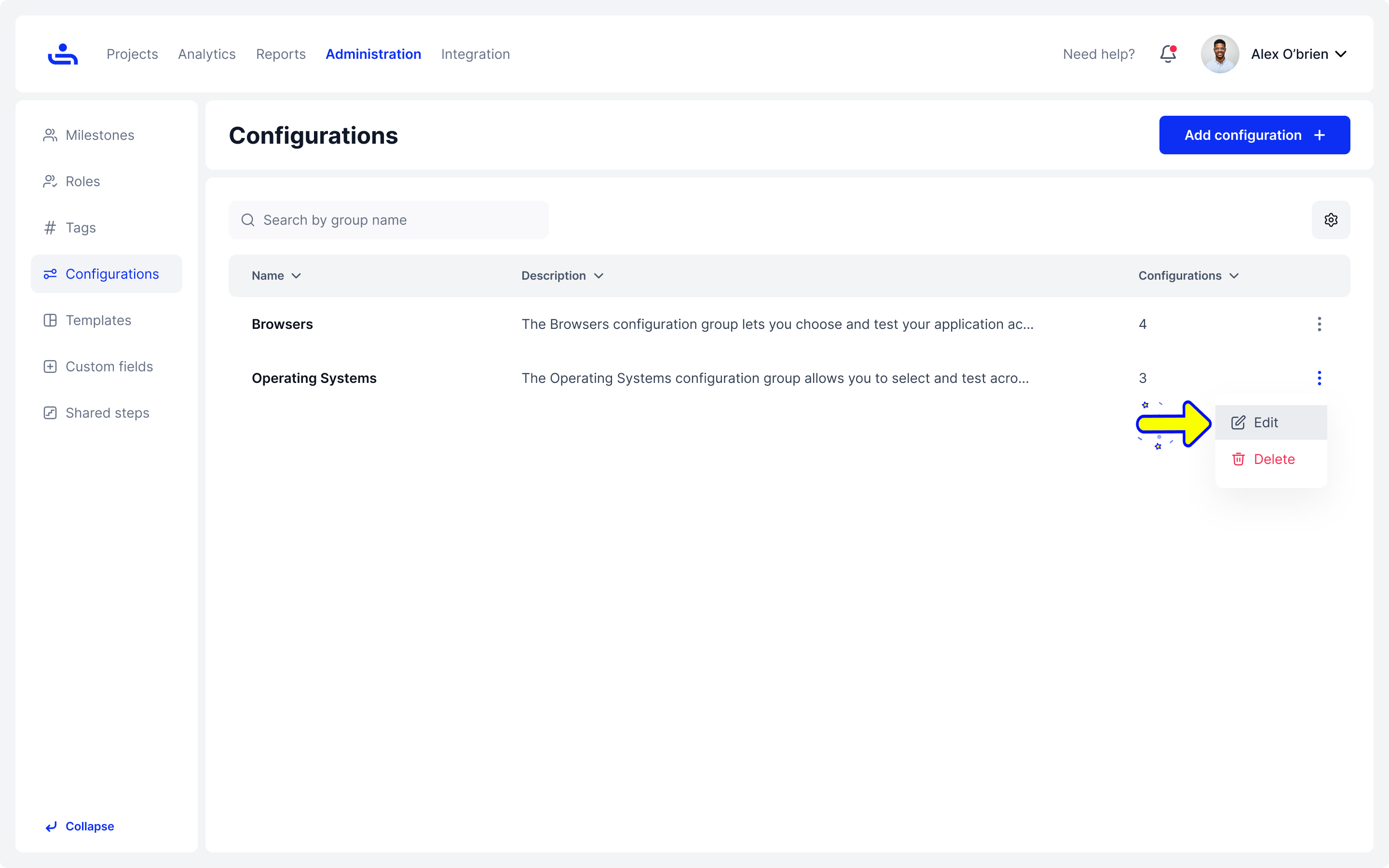
<summary>Step 2: Click "Edit"</summary>

Click on the kebab icon and choose the "Edit" option. It will open the "Edit configuration" side panel.

</details>

<figure><img src="/files/CBhrDXHdWqCl4tnBJ0KZ" alt=""><figcaption><p>Click on the kebab icon and choose the "Edit" option</p></figcaption></figure>

<details>

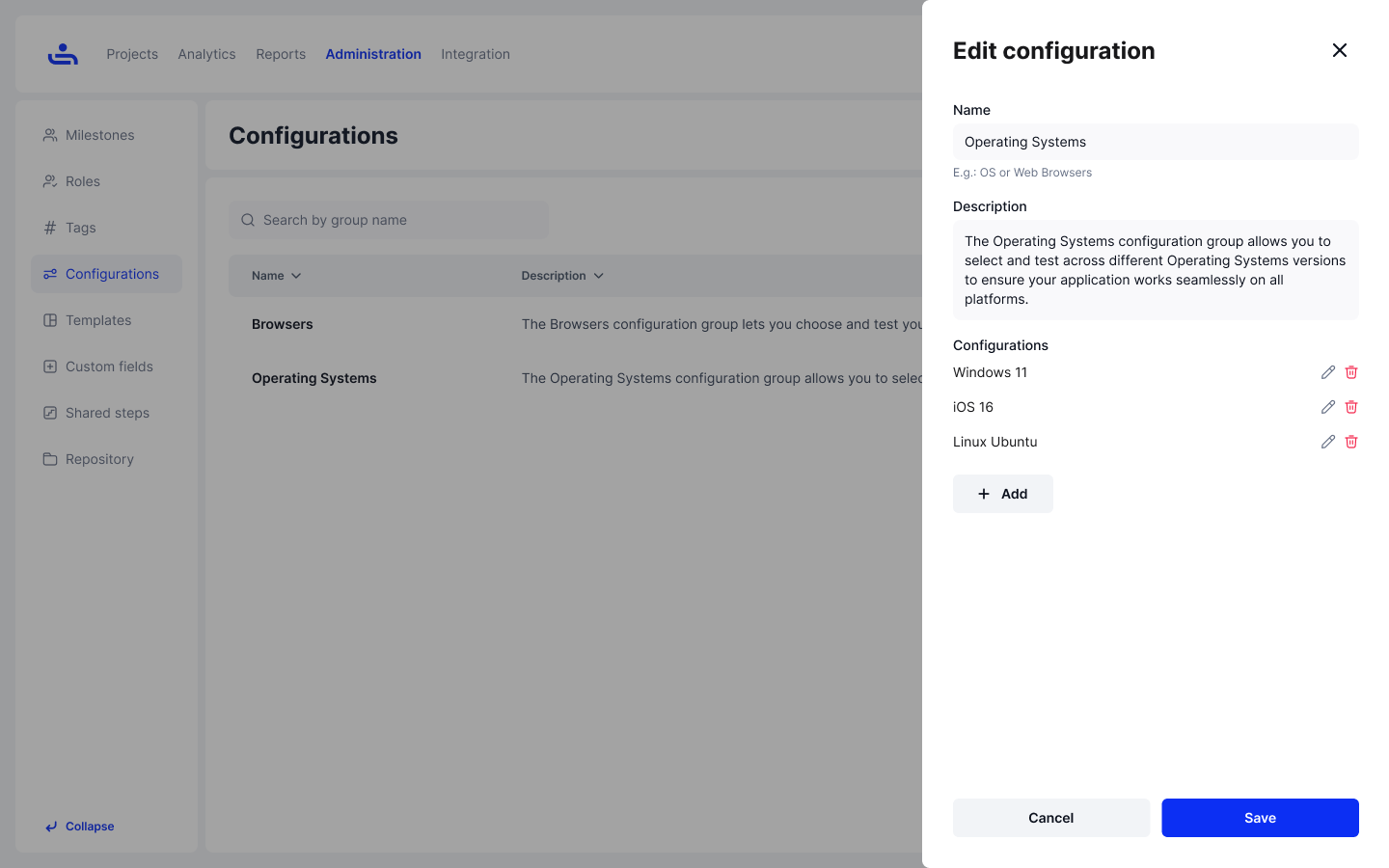
<summary>Step 3: Make changes to fit your new needs</summary>

When you’re finished, click “Save” to see the changes.

</details>

<figure><img src="/files/uO6GnaYA87Aiwwr2UowV" alt=""><figcaption></figcaption></figure>

Now that you know how to edit a configuration, we'll guide you through the process of deleting it. Click "Next" to learn more.